
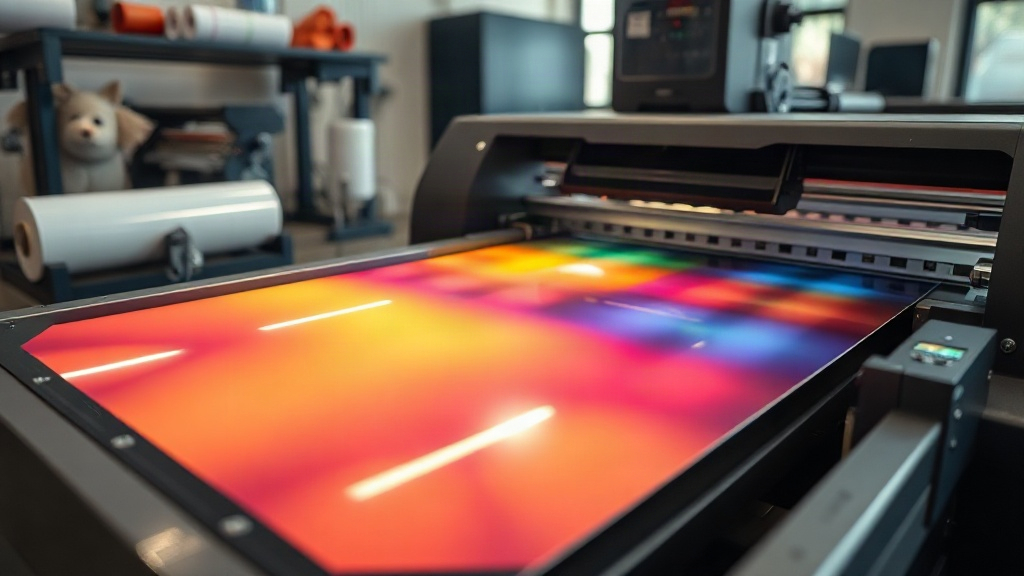
Have you ever pulled a shirt from the dryer only to find the print cracked and faded? You are not alone. Many custom apparel makers struggle with durability, especially when using heat transfers. That is where DTF printing comes in. DTF, or Direct to Film, is a digital printing method that transfers designs onto fabric using a special film. Unlike DTG or screen printing, DTF works on almost any fabric, from cotton to polyester blends, without extensive pre-treatment. In this guide, I will walk you through the entire DTF process, share tips I have learned from countless trials, and help you avoid common mistakes. By the end, you will have the confidence to produce vibrant, long-lasting transfers that your customers will love.
What Is DTF Printing and Why It Matters
DTF printing stands for Direct to Film. It involves printing a design onto a special PET film using water-based pigments, then applying a thermoplastic powder to the wet ink. After curing the powder, you can transfer the design onto fabric with a heat press. This method has gained massive popularity because it eliminates the need for cutting or weeding vinyl, and it works on a huge range of materials, including cotton, polyester, nylon, and even leather. For small business owners and hobbyists, DTF offers a low-cost entry into custom apparel without sacrificing quality.
Why Choose DTF Over Other Methods?
Compared to DTG, DTF produces more vibrant colors on dark garments and requires less maintenance. Unlike screen printing, it does not require separate screens for each color, making it ideal for short runs and complex designs. Plus, DTF transfers can be stored for months and applied on demand, which is perfect for print-on-demand businesses.
Step-by-Step DTF Printing Process
Getting started with DTF requires a few key supplies: a DTF printer (or a modified inkjet), DTF film, DTF ink, hot melt powder, and a heat press. Here is how to do it right.
1. Prepare Your Design
Start with a high-resolution image. Remember that DTF prints are mirrored, so flip your design horizontally before printing. Ensure your colors are vibrant and consider adding a white underbase for dark fabrics. Most RIP software will handle this automatically.
2. Print on DTF Film
Load your DTF film into the printer with the coated side facing up. Print your design using the printer's DTF profile. The printer will lay down a layer of white ink first (if you are printing on dark fabric) followed by CMYK. This creates the base for the powder to stick.
3. Apply Hot Melt Powder
While the ink is still wet, sprinkle hot melt powder evenly over the print. You can use a powder shaker for consistency. Then, shake off the excess powder. The powder should only stick to the wet ink. Any excess can be reused.
4. Cure the Powder
Place the film in a curing oven or under a heat press at around 160°C (320°F) for 2-3 minutes. The powder will melt and form a flexible, durable layer. Do not over-cure, as this can cause the film to warp.
5. Heat Press the Transfer
Set your heat press to 160°C (320°F) with medium pressure. Place the transfer on your garment with the film side up. Press for 15-20 seconds. Then, wait for it to cool completely before peeling off the film. Cold peel gives the best results for DTF.
Common DTF Problems and How to Fix Them
Even with the best equipment, issues can arise. Here are some frequent problems and their solutions.
Transfer Not Sticking
If the design peels off after washing, you might not have enough pressure or the powder was under-cured. Increase pressure and ensure the powder is fully melted. Also, check that your fabric is clean and dry.
Colors Look Dull
Dull colors often mean insufficient white ink or expired film. Try increasing the white ink density in your RIP settings. Also, store film in a cool, dry place to prevent moisture absorption.
Cracking After Washing
Cracking usually indicates over-curing or too much powder. Reduce curing time and use a fine powder. Also, avoid stretching the garment excessively when washing.
DTF vs. Other Printing Methods: A Quick Comparison
How does DTF stack up against DTG, screen printing, and vinyl? Here is a breakdown.
- DTF: Works on all fabrics, no weeding, vibrant on darks, good for small runs.
- DTG: Best for 100% cotton, less durable on polyester, requires pre-treatment.
- Screen Printing: Cost-effective for large orders, limited colors, setup time.
- Vinyl: Great for simple designs, limited to one color per layer, can peel.
For print-on-demand, DTF often wins due to its versatility and low waste.
Tips for Perfect DTF Transfers Every Time
After many trials, I have picked up a few tricks that make a big difference.
- Always use fresh powder and store it in an airtight container.
- Preheat your garment for 5 seconds to remove moisture.
- Use a Teflon sheet or parchment paper over the transfer to protect your heat press.
- Test your settings on a scrap piece of fabric before pressing the final product.
- Keep a log of your settings for different fabrics.
Frequently Asked Questions About DTF Printing
Can I use DTF on 100% polyester?
Yes, DTF works beautifully on polyester. In fact, it often adheres better to polyester than DTG. Just use a lower temperature (around 150°C) to avoid scorching.
How long do DTF transfers last?
With proper application and care, DTF transfers can last 50+ washes. Always wash inside out in cold water and avoid bleach.
Do I need a special printer for DTF?
You can convert an Epson printer with DTF ink and a RIP software, or buy a dedicated DTF printer. Dedicated printers offer better reliability and white ink circulation.
What is the best powder for DTF?
Use a high-quality thermoplastic polyurethane (TPU) powder. Fine powder (80-200 microns) works best for detailed designs.
Can I reuse excess powder?
Yes, you can collect and reuse excess powder if it is clean and dry. Store it in a sealed container to prevent clumping.
Mastering DTF printing takes practice, but the results are worth it. Whether you are running a print-on-demand shop or making custom gifts, this method offers flexibility and durability that few others can match. Start with small tests, keep notes, and soon you will be producing professional-quality transfers with ease.