
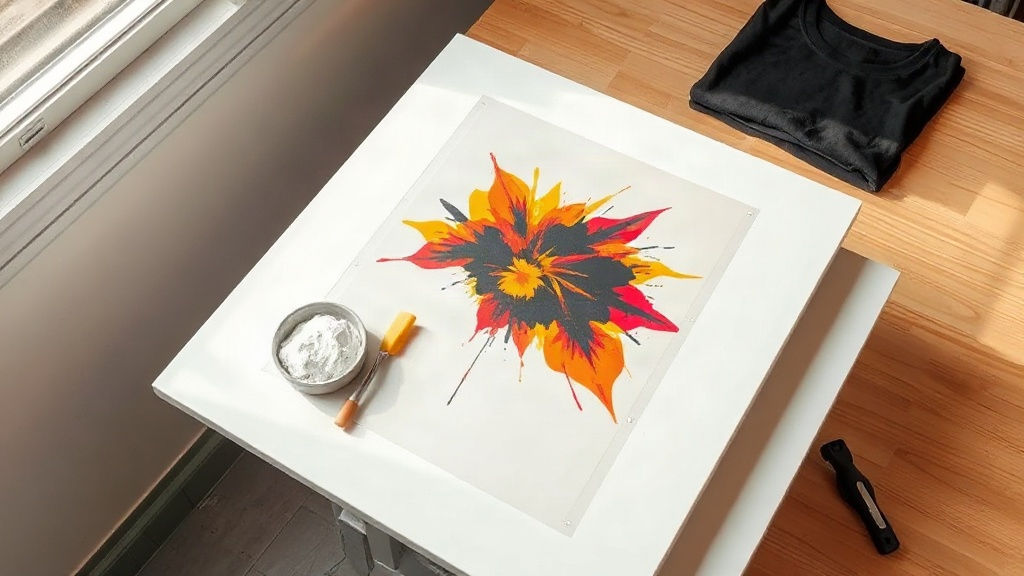
Most print on demand sellers eventually hit the same wall. Vinyl looks flat on anything with a decent pile, screen printing only makes sense at volume, and sublimation refuses to stick to cotton. That is roughly the point where dtf printing starts showing up in conversations, usually followed by someone in a Facebook group claiming it solved every problem they had. The truth is a bit more measured, but it is still one of the more useful tools to understand if you sell decorated apparel.
This guide walks through what DTF actually is, how the workflow runs from file to finished shirt, where the economics make sense, and the mistakes that cost people money in the first few months. No hype, no invented numbers, just the practical side of the process.
What DTF Printing Actually Is
DTF stands for direct to film. A printer lays down a mirrored image in water-based pigment inks onto a special PET film, then a powdered hot-melt adhesive is scattered across the wet ink. The powder sticks where the ink is, the excess gets shaken off, and the film passes through a curing unit to melt the adhesive into the design. What you end up with is a transfer that can be stored, shipped, or pressed onto a garment later.
The important part is what happens at press time. You place the transfer on the fabric, apply heat and pressure for a short cycle, let it cool, then peel the film away. The adhesive bonds the ink layer to the textile. Because the adhesive is doing the bonding work rather than the ink soaking into fibers, the process is not picky about material.
How It Differs From DTG and Sublimation
Direct to garment printing sprays ink straight onto the shirt and requires a pretreatment step for dark colors. It works well on cotton but struggles on blends and synthetics. Sublimation requires polyester or a polyester-coated surface, and it dyes the fabric rather than sitting on top of it, which is why it never works on 100% cotton.
DTF sidesteps both limitations. The same transfer can go on a cotton tee, a 50/50 hoodie, a nylon jacket, a canvas tote, or a polyester performance shirt. That flexibility is the main reason small shops adopt it.
The DTF Workflow, Step by Step
1. Artwork Preparation
Files need to be mirrored before printing, since the transfer is flipped when it goes onto the garment. Most RIP software handles this automatically, but it is worth confirming before you burn through film. Resolution matters more than people expect: aim for 300 DPI at final print size. Vector logos should be rasterized cleanly, and any transparency should be flattened against white or a chosen base color.
2. Printing Onto Film
White ink is typically printed as a base layer underneath the color layer, which is what allows the design to show up on dark garments. Print quality depends heavily on nozzle health and humidity. Dry environments cause dropout in the white channel, so many shops run a small humidifier near the printer.
3. Powdering and Curing
Adhesive powder comes in different mesh sizes. Finer powder gives a softer hand feel but can be fussier to apply evenly. Coarser powder is more forgiving but adds thickness. After powdering, the film goes through a curing oven or a heat press set to a low, controlled temperature. Under-curing is the single most common cause of transfers that crack or peel after a few washes.
4. Pressing Onto the Garment
Typical settings land somewhere around 300 to 320 degrees Fahrenheit for 10 to 15 seconds at medium to firm pressure, but every film and powder combination behaves a little differently. Peel cold or warm depending on the manufacturer's instructions. Cold peel generally produces a cleaner edge on detailed artwork.
Where DTF Makes the Most Sense
- Mixed material catalogs. If you sell cotton tees, poly blends, and canvas bags from one store, one transfer type covers all of them.
- Small batch and one-off orders. There is no minimum quantity and no setup cost per design.
- Detailed, multicolor artwork. Gradients, photographic elements, and fine linework reproduce well without color separation work.
- Dark garments. The white base layer handles dark fabric far more reliably than DTG without pretreatment.
Where it makes less sense: high-volume runs of a single simple design, where screen printing will beat it on cost per unit, and stretchy performance fabrics where the transfer can restrict movement if the design covers a large area.
Cost Math Without the Marketing Spin
Per-transfer cost breaks down into film, ink, powder, and labor. A letter-sized transfer on a mid-range setup usually lands somewhere between one and two dollars in materials, depending on ink coverage and how much waste you generate. Add the garment cost and your time, and you get a realistic unit cost.
The number that catches people off guard is waste. Test prints, misaligned powdering, and reprints after a failed press all add up. Tracking how many transfers you actually sell versus how many you produce is more useful than any published cost-per-print figure.
Durability and Wash Performance
A properly cured DTF transfer handles normal washing well. The failure modes are predictable: cracking from under-curing, peeling from insufficient pressure, and edge lift from pressing on a seam or a wrinkled garment. Washing inside out in cold water and avoiding high dryer heat extends the life of any transfer significantly.
Stretch is the other consideration. Because the adhesive layer is not elastic in the same way as the fabric, large solid designs on stretchy material will eventually show stress lines. Keeping designs moderate in size on performance wear avoids most of this.
Common Mistakes New Shops Make
- Storing transfers before they are fully cured, which causes them to stick together and lose adhesive.
- Using too much powder, which creates a thick, plastic-feeling print.
- Skipping a test press on a scrap garment before running a customer order.
- Ignoring ambient humidity, then blaming the printer for white ink dropout.
- Pressing over zippers, seams, or buttons without a pressing pillow.
Frequently Asked Questions
Does DTF printing work on 100% cotton shirts?
Yes, and it works well. Unlike sublimation, the adhesive bonds to cotton fibers without needing a polyester coating. Cotton actually tends to give a slightly softer final hand feel than some synthetic fabrics.
How long do DTF transfers last in storage?
Stored properly in a cool, dry place away from direct sunlight, cured transfers generally keep for six months to a year. Humidity is the main enemy, so sealed bags with a desiccant pack are a reasonable precaution if you buy in bulk.
Can I ship DTF transfers to customers instead of finished shirts?
Absolutely. Selling transfers as a product is a legitimate business model, especially for crafters who own a heat press. You will want to include pressing instructions with every order, since incorrect temperature or pressure is the most common reason a customer reports a failed transfer.
Is DTF cheaper than DTG for a small shop?
For low volumes with varied designs, DTF usually wins because there is no pretreatment step and no dedicated garment printer to maintain. DTG becomes more competitive at higher volumes where labor per shirt matters more than material cost.
What fabric should I avoid with DTF transfers?
Highly textured surfaces like thick fleece, terry cloth, and heavily ribbed knits are difficult because the adhesive cannot make full contact. Very stretchy activewear is workable but better suited to smaller designs rather than large solid blocks of ink.
Getting Started Without Overbuying
The temptation when entering dtf printing is to buy the biggest printer, the widest film, and a full powder inventory on day one. A more sensible path is to start with a modest setup, learn how your specific film and powder behave together, and only scale once you have consistent press results. The process rewards patience more than equipment.
Pay attention to your cure step, keep your workspace at a reasonable humidity, and test every new garment blank before you list it. Do those three things and DTF becomes one of the more dependable tools in a print on demand operation.